Solutions
What needs your
team’s attention today?
Start with the question your operation needs to answer. Connect weather and hazard data to your assets, then configure the map and alerts around that work.
01 / Monitoring
See conditions across your operation
Put weather, hazards, infrastructure and moving assets on a shared map. Teams in the operations center and the field can review the same conditions, with views configured for their roles.
Explore the application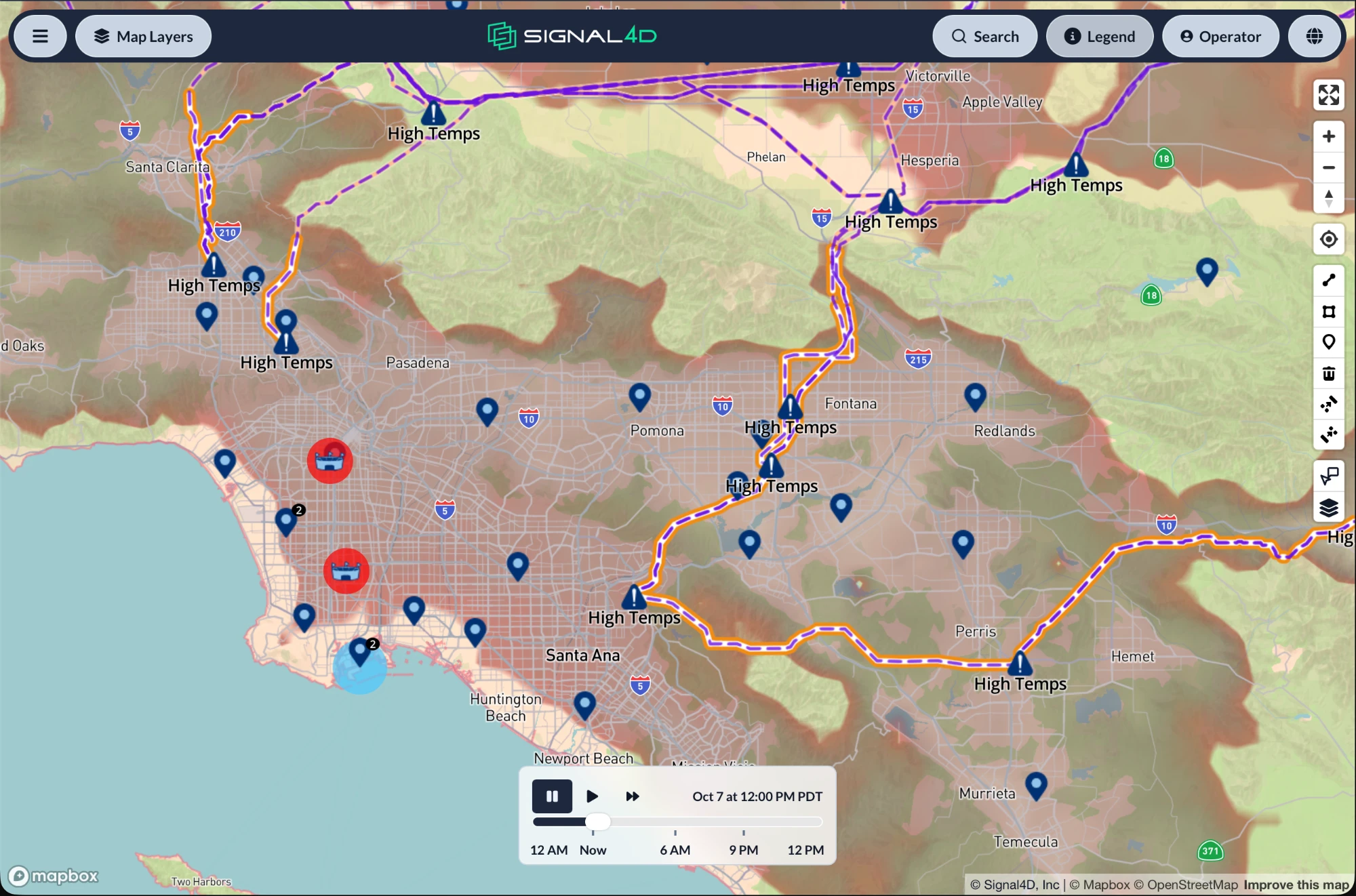
02 / Monitoring
Set alerts around your operating limits
Alert on weather, sensor readings or another connected data feed individually, or combine them in a complex rule. For example: wind gusts above 30 knots AND a sudden drop in tension reported by dynamic line rating sensors, or a lightning strike AND smart line sensors triggering. Apply rules to custom thresholds and monitoring zones.
See how alerting works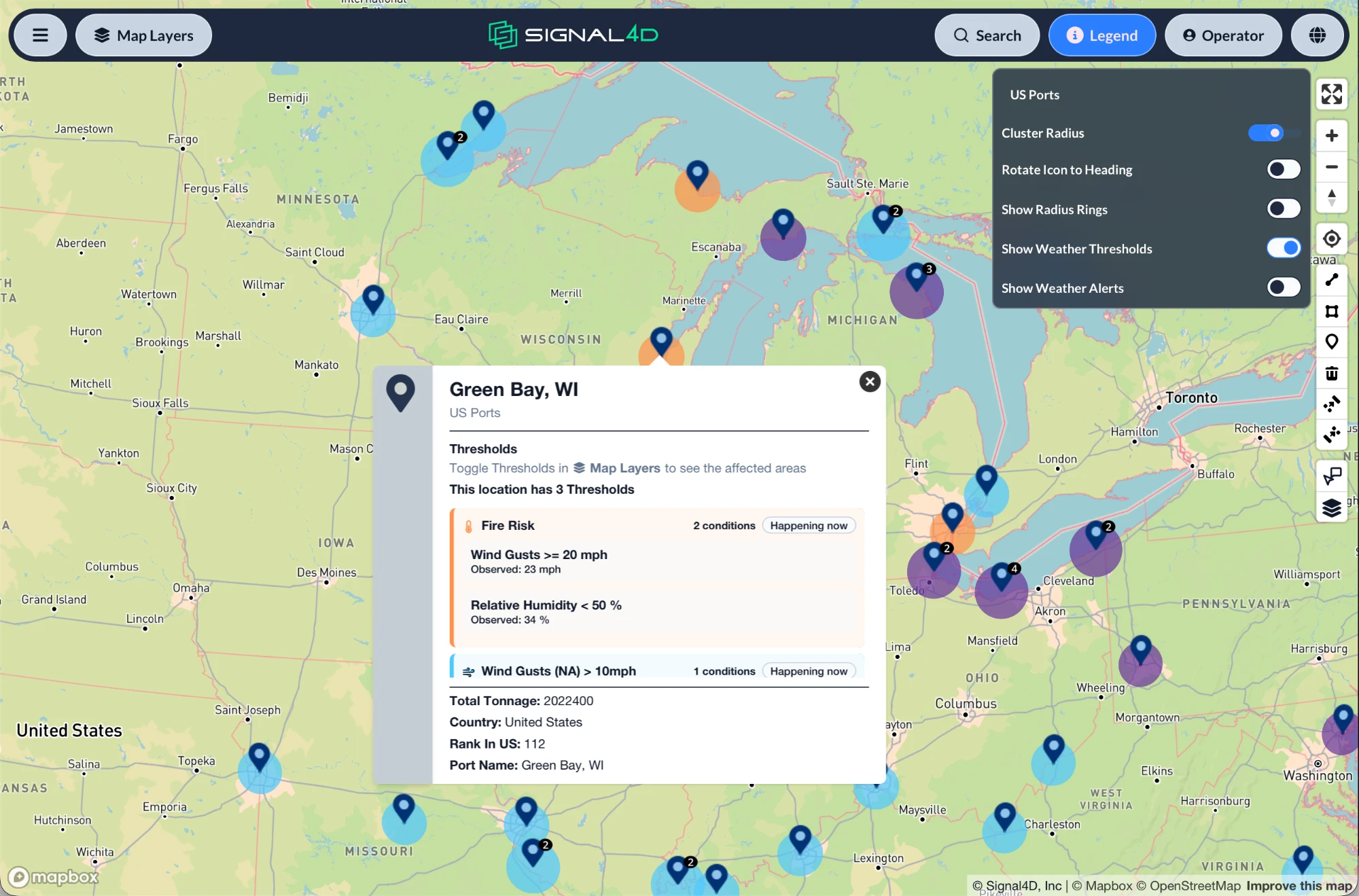
03 / Monitoring
Follow assets in motion
Connect live telemetry for vehicles, vessels, aircraft, drones or personnel. View their positions and history paths alongside the weather and hazards developing around them.
Explore logistics monitoring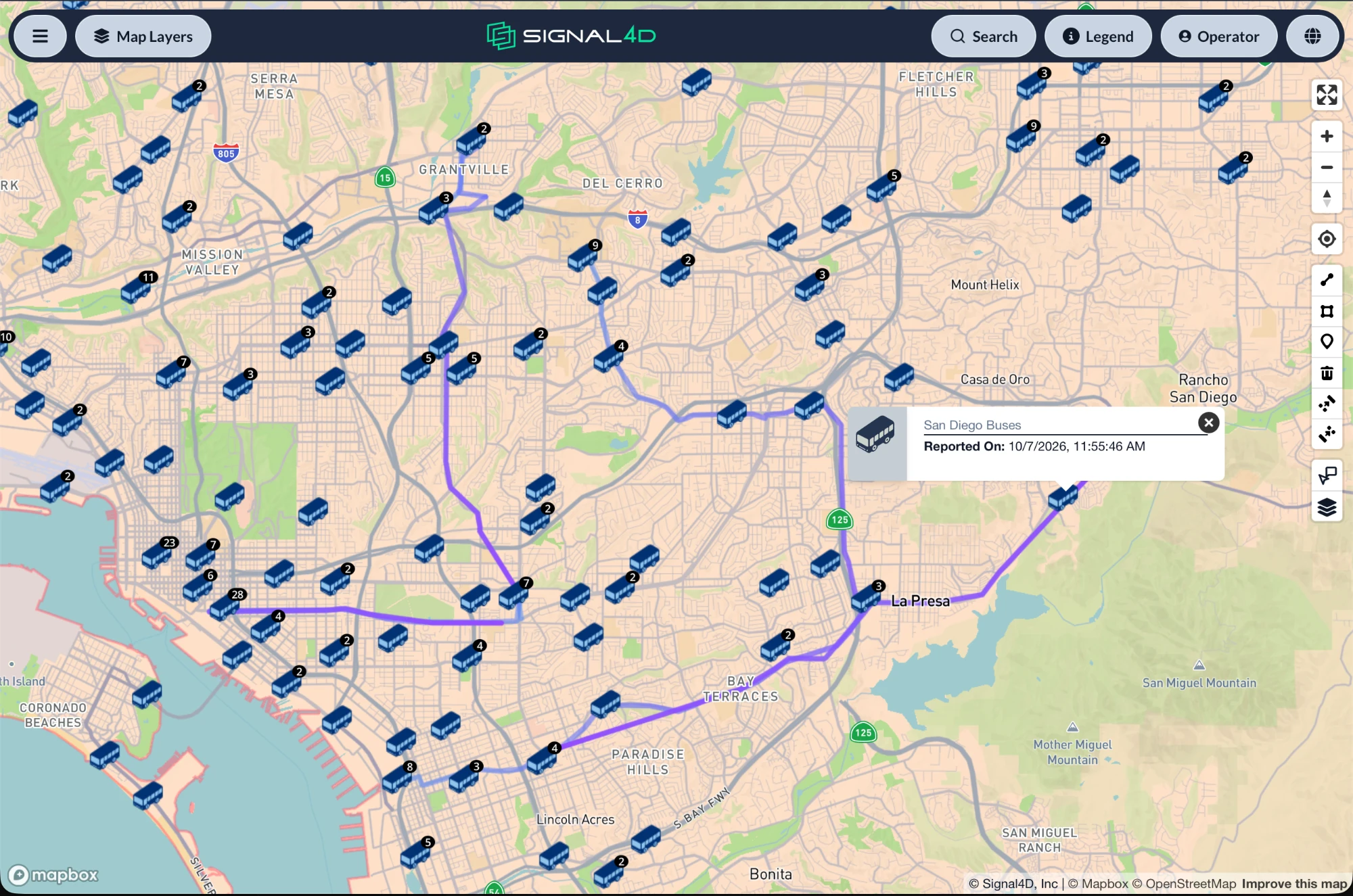
04 / Wildfire
Watch for wildfire near your assets
Monitor red-flag weather, lightning and satellite hot spots against your infrastructure and land. Review the signals together to identify where a closer look is needed.
A closer look at wildfire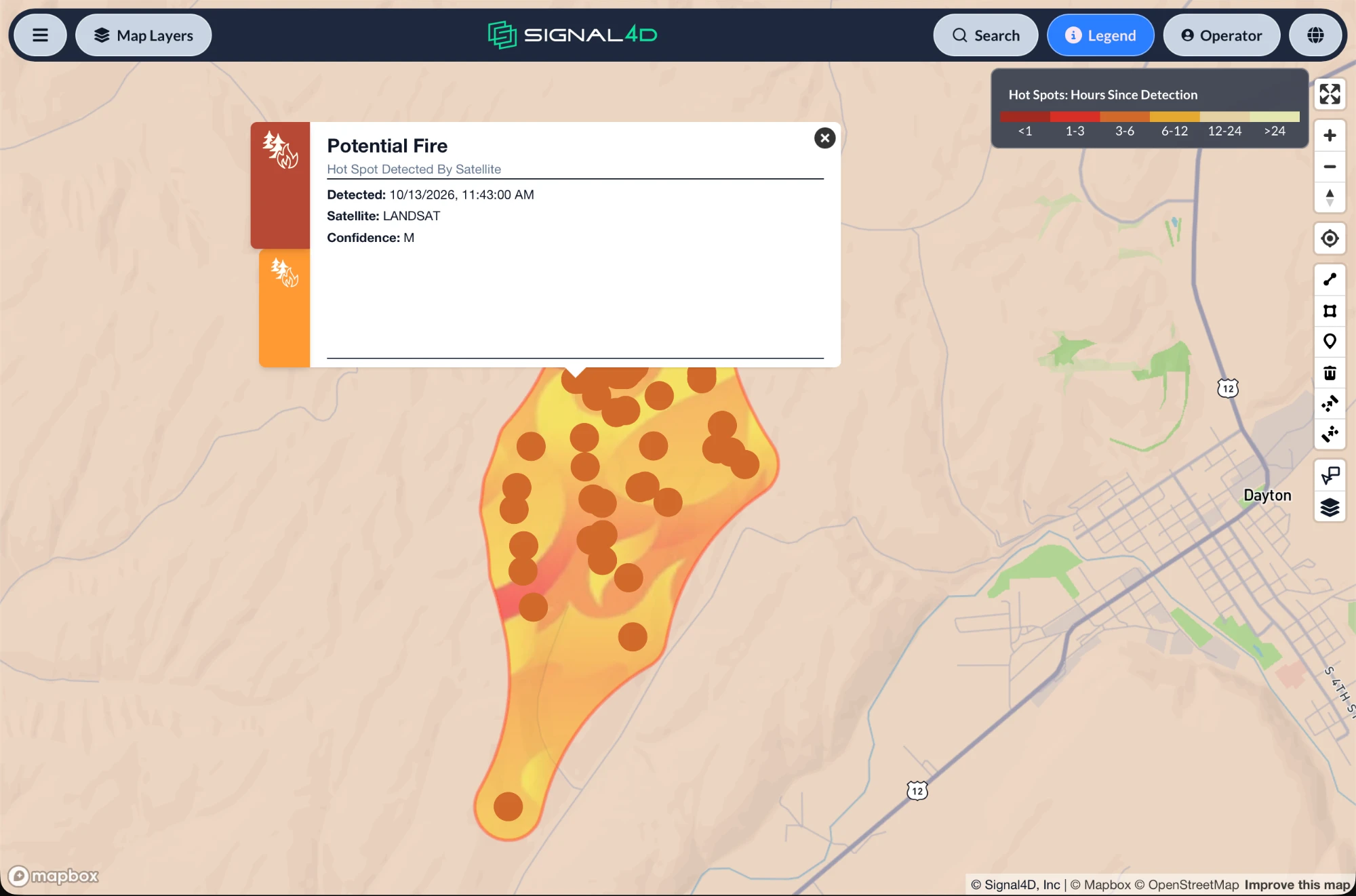
05 / Monitoring
Prepare the network for a storm
Track tropical storms, wind, lightning and extreme heat across your service territory. See the assets in the forecast path to help plan crew positions and field work.
Explore utility monitoring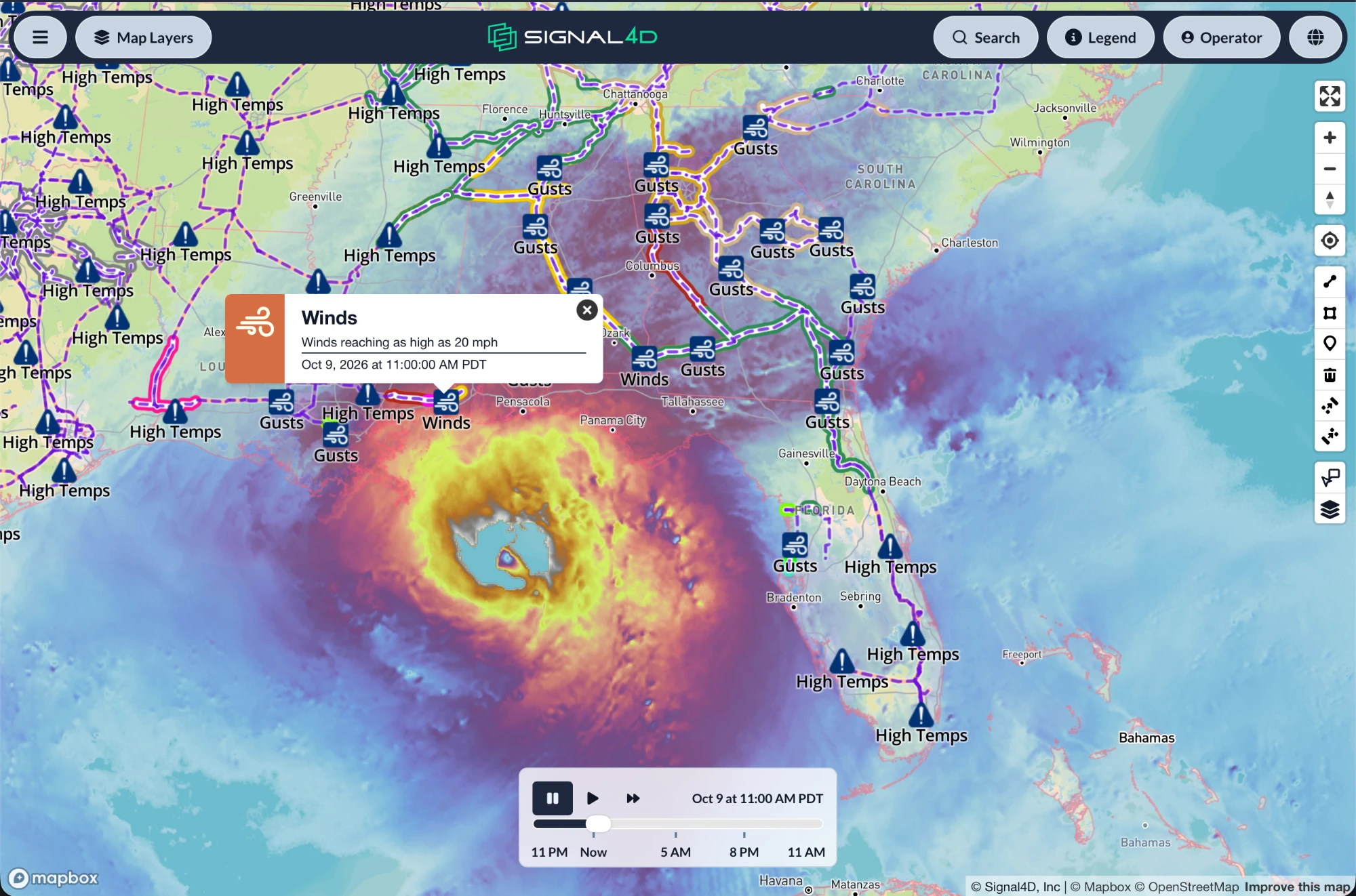
06 / Monitoring
Monitor weather and airspace together
Bring air traffic, aviation weather and drone operations into the same view. Review conditions along a flight path and set alerts for the limits your operation uses. Bring live verification into the shared view.
Explore aviation & airspace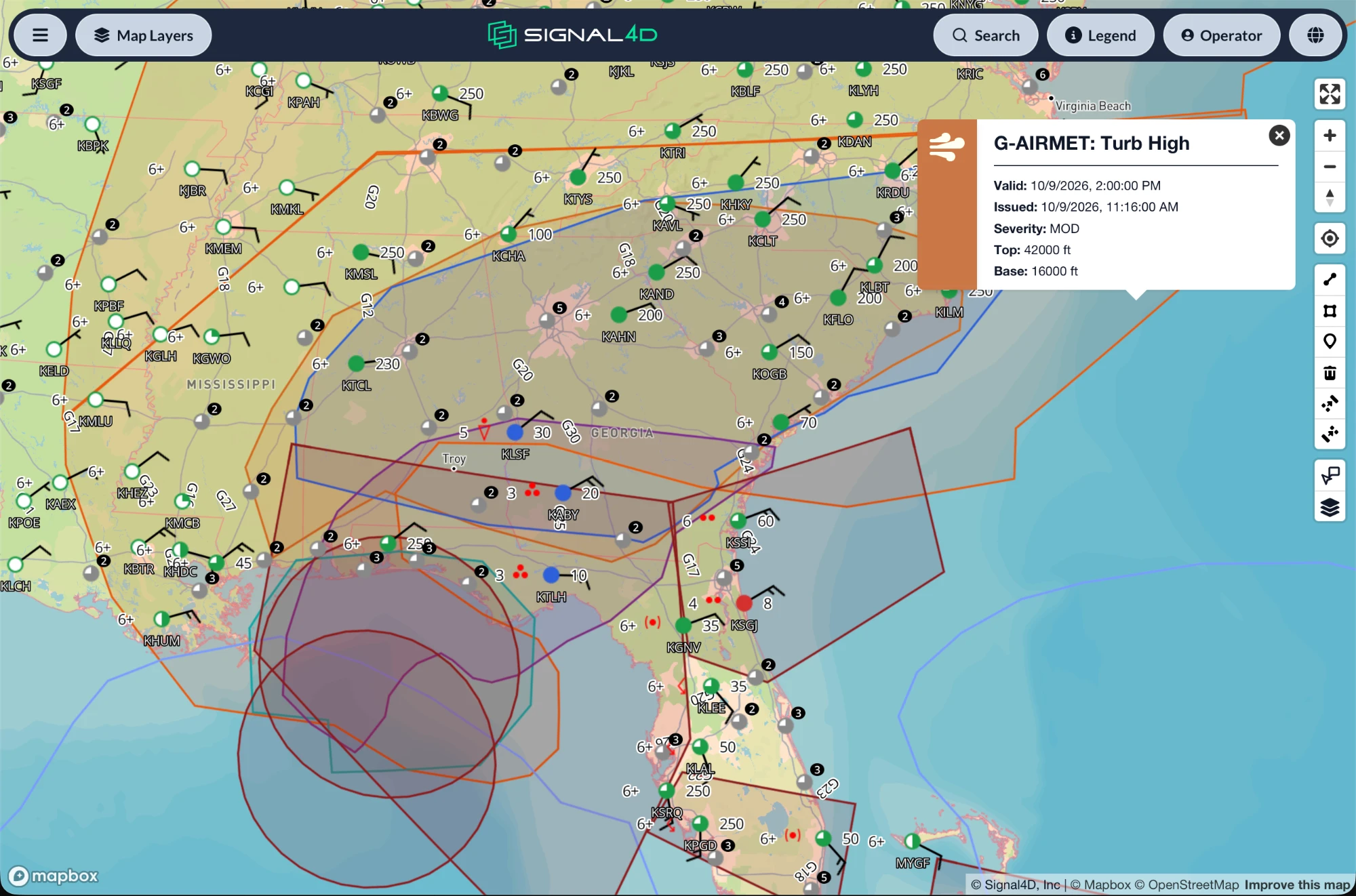
Let’s look at your operation.
Tell us what you monitor and the decisions your team needs to make. We’ll walk you through how Signal4D can help.